How to Choose a Gaming Laptop: Your Ultimate Buying Guide
how to choose a gaming laptop

How to Choose a Gaming Laptop: Your Ultimate Buying Guide

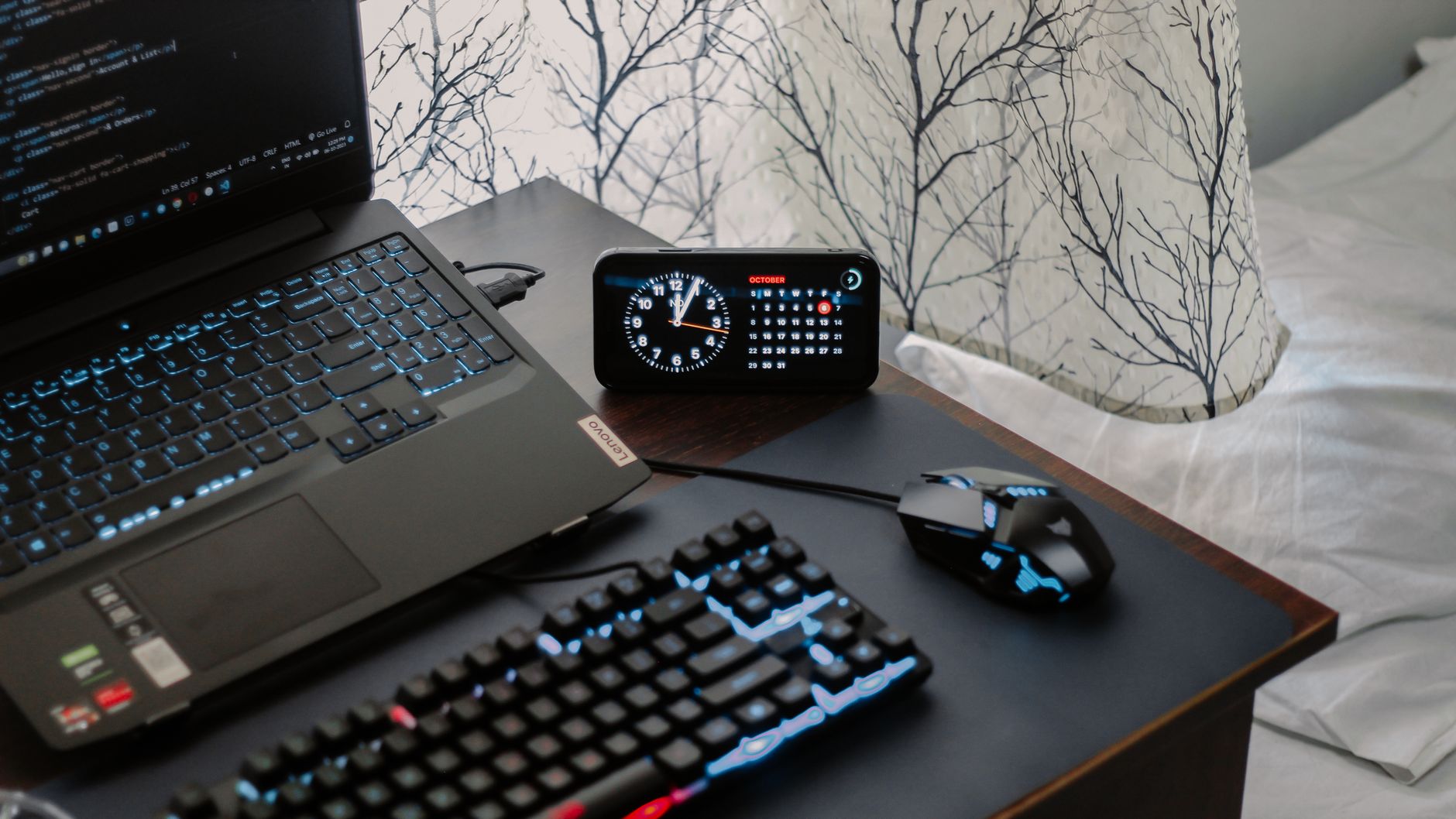
A modern workspace featuring a laptop, digital clock, gaming mouse, and keyboard, ideal for work and tech enthusiasts.Photo: Arjunn. la / Pexels

How to Choose a Gaming Laptop: Your Ultimate Buying Guide

Unlock peak gaming performance and portability with the perfect machine tailored to your needs and budget.

Find Your Perfect Gaming Laptop

Key Takeaways

  • ✓ GPU is the most critical component for gaming performance.
  • ✓ Screen refresh rate significantly impacts gameplay fluidity.
  • ✓ SSD storage is essential for fast game loading times.
  • ✓ Balancing budget with desired performance is key for satisfaction.

How It Works

1
Assess Your Gaming Needs & Budget

Determine what types of games you'll play (casual vs. AAA titles) and set a realistic budget. This forms the foundation for all other decisions.

2
Prioritize Key Components

Focus on the GPU, CPU, RAM, and storage as these dictate performance. Understand how each impacts your gaming experience and overall system responsiveness.

3
Consider Display & Peripherals

Evaluate screen size, resolution, and refresh rate for an immersive experience. Don't forget keyboard comfort, trackpad quality, and port selection for accessories.

4
Read Reviews & Compare Models

Consult expert reviews and user testimonials for real-world insights. Compare specifications across different brands and models to find the best value.

Understanding Core Components: Graphics Cards and Processors
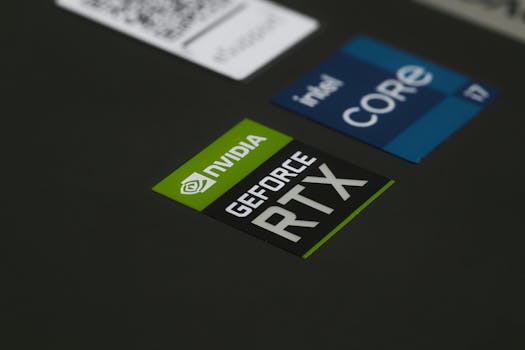
Close-up of NVIDIA GeForce RTX and Intel Core i7 stickers on a laptop surface, showcasing modern technology.Photo: Ruben Boekeloo / Pexels
When you're trying to figure out how to choose a gaming laptop, the graphics processing unit (GPU) and central processing unit (CPU) are undoubtedly the most crucial elements. These two components work in tandem to render game worlds, process physics, and handle all the complex calculations that make modern games run. A powerful GPU is the heart of any gaming machine, as it's primarily responsible for generating the frames you see on your screen. For serious gaming, you'll want to look for discrete graphics cards from NVIDIA's GeForce RTX series (e.g., RTX 3050, RTX 3060, RTX 3070, RTX 4070 and above) or AMD's Radeon RX series (e.g., RX 6600M, RX 6700M, RX 7800 XT). The higher the number in the series, generally the more powerful the card. Pay close attention to the TGP (Total Graphics Power) of the GPU, as a higher TGP indicates that the laptop's cooling system can support the GPU running at its full potential, leading to better performance. A laptop with an RTX 3060 at 130W will outperform one with an RTX 3060 at 80W, even though they share the same model number. This is a common pitfall for many buyers, as manufacturers often don't prominently display TGP, but it's a critical detail for true performance enthusiasts. The CPU, while secondary to the GPU for raw frame rates, is essential for overall system responsiveness, game logic, AI, and handling background tasks. Modern games are becoming increasingly CPU-intensive, especially open-world titles or those with many concurrent simulations. Look for Intel Core i7 or i9 processors (12th generation or newer) or AMD Ryzen 7 or Ryzen 9 processors (6000 series or newer). While an i5 or Ryzen 5 might suffice for less demanding games or lower resolutions, stepping up to an i7/Ryzen 7 provides a more future-proof experience and handles multitasking much better. The number of cores and threads, along with clock speed, are indicators of CPU performance. Ideally, you want a CPU with at least 6 cores and 12 threads for a smooth gaming experience that won't bottleneck your powerful GPU. Don't forget that cooling is paramount for both these components; a laptop with an effective cooling system will prevent thermal throttling, ensuring sustained performance during long gaming sessions. Researching specific cooling solutions, such as vapor chambers or multiple fans, can give you an edge. For more detailed insights into processor capabilities, check out this guide on understanding CPU performance. Ignoring these fundamental components is a common mistake when choosing the right laptop, so dedicate significant time to researching them.

Display, RAM, and Storage: Enhancing Your Gaming Experience
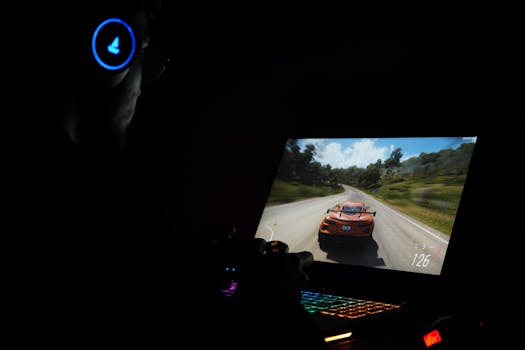
A gamer using a laptop and headphones to play a car racing game in a dark setting.Photo: Rajat Yadav / Pexels
Beyond the core processing power, the display, RAM, and storage solutions significantly impact your gaming experience and overall satisfaction with your new machine. The display is your window into the game world, and its specifications are crucial. Look for a screen with a high refresh rate – 120Hz, 144Hz, or even 240Hz are common for gaming laptops. A higher refresh rate means smoother motion and more responsive gameplay, especially in fast-paced competitive titles. Resolution is also important; while 1080p (Full HD) is standard and often preferred for maximizing frame rates, 1440p (QHD) offers a sharper image without as much performance penalty as 4K, which is generally too demanding for current laptop GPUs for high frame rate gaming. Panel type matters too: IPS panels offer excellent color accuracy and wide viewing angles, which are great for immersive single-player experiences. Response time, typically 3ms or 5ms, also contributes to reducing motion blur. RAM (Random Access Memory) is where your system stores data that's actively being used. For gaming, 16GB of DDR4 or DDR5 RAM is the sweet spot. While some games might run on 8GB, 16GB ensures smoother multitasking and prevents bottlenecks in more demanding titles. If your budget allows, 32GB can offer even more headroom, especially for content creation or streaming alongside gaming, but it's not strictly necessary for most gamers. Ensure the RAM is running in dual-channel configuration for optimal performance. Many laptops come with one stick of RAM, leaving an empty slot for easy upgrade, but dual-channel from the start is always better. Storage is another critical factor. A Solid State Drive (SSD) is non-negotiable for gaming laptops. SSDs offer dramatically faster loading times for games, applications, and the operating system compared to traditional Hard Disk Drives (HDDs). Look for NVMe PCIe SSDs, which are even faster than SATA SSDs. A minimum of 512GB is recommended, but 1TB or more is ideal, especially with game sizes constantly increasing. Some laptops offer a combination of an SSD for the OS and a larger HDD for game storage, but a pure SSD setup is always superior for performance. If you're on a tighter budget, consider a laptop with a smaller SSD and an empty M.2 slot for future expansion. Fast storage ensures you spend less time waiting and more time playing. Consider upgrading your laptop components in the future to extend its lifespan, and storage is often one of the easiest.

Connectivity, Cooling, and Ergonomics: Beyond Raw Power

While raw power is often the primary focus when learning how to choose a gaming laptop, don't overlook critical aspects like connectivity, cooling, and ergonomics. These elements significantly impact the overall user experience and the longevity of your device. For connectivity, a good selection of ports is essential. You'll want multiple USB ports (preferably a mix of USB-A and USB-C, with at least one supporting Thunderbolt 4 for high-speed external devices and displays), an HDMI or DisplayPort output for connecting to external monitors, and an Ethernet port for stable wired internet connections during competitive gaming. Wi-Fi 6 or Wi-Fi 6E is also crucial for fast and reliable wireless networking. Bluetooth 5.0 or higher ensures seamless connection with wireless peripherals like headsets and controllers. Cooling is arguably as important as the GPU and CPU themselves. High-performance components generate a lot of heat, and if not dissipated effectively, this can lead to thermal throttling – where the system reduces performance to prevent damage. Look for laptops with robust cooling solutions, often involving multiple fans, heat pipes, and strategically placed vents. Vapor chamber cooling is a premium feature found in higher-end models that offers superior heat dissipation. Read reviews specifically addressing sustained performance under load, as initial benchmarks might not reflect real-world gaming scenarios where a laptop could start throttling after 30 minutes of play. Good cooling not only ensures consistent performance but also extends the lifespan of your components. Ergonomics are often an afterthought but can make or break your long-term comfort. The keyboard is paramount for gaming; look for a keyboard with good key travel, tactile feedback, anti-ghosting, and N-key rollover. RGB backlighting is a common feature, offering aesthetic appeal and functionality in low-light conditions. The trackpad quality is less critical for gaming (as most gamers use an external mouse), but a responsive and accurate one is appreciated for general use. The overall build quality, chassis materials, and hinge design also contribute to the laptop's durability and premium feel. Consider the weight and thickness if portability is a major concern. A bulkier laptop often means better cooling, but it's a trade-off. Finally, battery life is usually not a strong suit for gaming laptops, as they are designed to be plugged in for optimal performance. However, a decent battery life for light tasks or travel can be a bonus. Understanding these nuances helps you select the best tech gadgets for your lifestyle.

Common Mistakes and Smart Tips When Buying a Gaming Laptop

Navigating the world of gaming laptops can be tricky, and many buyers fall into common traps. Avoiding these pitfalls and adopting smart buying strategies will ensure you make a well-informed decision when you learn how to choose a gaming laptop. **Common Mistakes to Avoid:** * **Overspending on CPU, Underspending on GPU:** The GPU is the primary driver of gaming performance. Don't buy an i9 with an entry-level GPU; prioritize a better GPU first. * **Ignoring TGP (Total Graphics Power):** As mentioned, two laptops with the 'same' GPU can perform vastly differently based on their power limits. Always seek out TGP specs in reviews. * **Neglecting Cooling System Reviews:** A powerful laptop that overheats is a useless laptop. Research how well a specific model handles sustained loads. * **Underestimating Storage Needs:** Modern games are massive. 512GB fills up quickly. Aim for 1TB SSD or ensure there's an easy upgrade path. * **Forgetting Display Specs:** A powerful GPU paired with a 60Hz screen is a waste. Match your GPU's potential with a high refresh rate display. * **Buying Based Solely on Brand Loyalty:** While some brands have a good reputation, specs and real-world performance vary greatly model-to-model. Evaluate each laptop on its own merits. **Smart Tips for Buying:** * **Set a Realistic Budget (and stick to it):** Gaming laptops can range from $800 to $4000+. Define your absolute maximum and then look for the best within that range. * **Prioritize Based on Game Type:** If you play indie games and older titles, you won't need a top-tier RTX 4080. If you're into competitive AAA shooters, a high refresh rate and powerful GPU are key. * **Wait for Sales:** Major sales events like Black Friday, Cyber Monday, and Amazon Prime Day often feature significant discounts on gaming laptops. Patience can save you hundreds. * **Read Diverse Reviews:** Look at professional tech reviews, but also scour user reviews on retailer sites for insights into common problems or unexpected benefits. * **Consider Refurbished or Open-Box:** Reputable retailers often offer certified refurbished gaming laptops with warranties, providing excellent value. * **Check Upgradeability:** Some laptops allow for RAM and storage upgrades, which can extend their lifespan and save money down the line. This is a great way to future-proof your investment. * **Don't Forget Peripherals:** Factor in the cost of a good gaming mouse, headset, and possibly an external keyboard or monitor if you don't already have them. These enhance the overall experience significantly.

Comparison

FeatureHigh-End Gaming ($2000+)Mid-Range Gaming ($1200-$2000)Entry-Level Gaming (<$1200)
GPURTX 4070/4080/4090, RX 7800 XT+RTX 4050/4060, RX 6700M/7600SRTX 3050/4050, RX 6600M
CPUIntel i9 (13th/14th Gen), AMD Ryzen 9 (7000 Series)Intel i7 (12th/13th Gen), AMD Ryzen 7 (6000/7000 Series)Intel i5 (12th Gen), AMD Ryzen 5 (6000 Series)
RAM32GB DDR516GB DDR4/DDR58GB-16GB DDR4
Storage1TB+ NVMe SSD512GB-1TB NVMe SSD256GB-512GB NVMe SSD
Display Refresh144Hz-240Hz QHD/FHD120Hz-165Hz FHD60Hz-120Hz FHD
CoolingAdvanced (Vapor Chamber)Good (Multiple Fans)Basic (Single/Dual Fan)
Build QualityPremium MetalMixed Metal/PlasticPlastic

What Our Readers Say

5 ★★★★★

"This guide truly helped me understand how to choose a gaming laptop. I was overwhelmed by the specs, but the breakdown of GPU vs. CPU and the importance of TGP made all the difference. I now have a machine that perfectly fits my gaming style."

5 ★★★★★

"I followed the advice on prioritizing the GPU and looking for high refresh rate screens. My new laptop handles every game I throw at it with buttery-smooth frames. This article saved me from making a costly mistake."

5 ★★★★★

"As a first-time gaming laptop buyer, I found the 'Common Mistakes' section invaluable. I almost bought a laptop with an amazing CPU but a weak GPU, thanks to this guide, I got a much more balanced system for my budget."

4 ★★★★☆

"The guide is incredibly thorough, though I wish there was a bit more emphasis on specific brands. However, the technical explanations were clear, and I feel confident in my purchase. Definitely a must-read for anyone serious about gaming laptops."

5 ★★★★★

"I needed a laptop for both gaming and video editing. The section on RAM and storage helped me understand why 32GB and a large NVMe SSD were crucial. My new laptop is a powerhouse for both my hobbies!"

Frequently Asked Questions

What is the single most important component to consider when buying a gaming laptop?
The Graphics Processing Unit (GPU) is hands-down the most crucial component for gaming performance. It directly impacts frame rates, resolution capabilities, and overall visual fidelity. While other components are important, a powerful GPU should be your top priority for a satisfying gaming experience.
Is 8GB of RAM enough for a gaming laptop?
While some older or less demanding games might run on 8GB of RAM, it's generally not enough for a modern gaming laptop. Most new AAA titles recommend 16GB, and having 16GB ensures smoother multitasking and future-proofs your system better. Opt for 16GB if your budget allows.
How important is the screen's refresh rate for gaming?
The screen's refresh rate is extremely important for gaming, especially in fast-paced genres. A higher refresh rate (e.g., 120Hz, 144Hz, 240Hz) means the screen updates more frequently, resulting in smoother motion, reduced input lag, and a more responsive gaming experience compared to a standard 60Hz display.
Are gaming laptops good value for money compared to gaming desktops?
Gaming laptops typically offer less value for money compared to similarly priced gaming desktops in terms of raw performance. Desktops are more upgradeable and offer better cooling. However, laptops provide unmatched portability, allowing you to game anywhere, which is their primary value proposition.
Should I choose an Intel or AMD processor for my gaming laptop?
Both Intel and AMD offer excellent processors for gaming laptops today. Intel often has a slight edge in single-core performance, which can be beneficial for some games, while AMD excels in multi-core tasks and often offers better power efficiency. The choice often comes down to the specific model and price point rather than a blanket brand preference.
Who should consider buying a gaming laptop?
A gaming laptop is ideal for gamers who need portability, travel frequently, or have limited space for a full desktop setup. It's also great for students or professionals who game in their downtime and need a powerful machine for both work and play, without compromising on performance.
What are the biggest risks of buying a cheap gaming laptop?
The biggest risks of buying a very cheap gaming laptop include poor build quality, inadequate cooling leading to thermal throttling and reduced lifespan, outdated components that won't run modern games well, and a subpar display. It's often better to save a bit more to get a mid-range model for a satisfactory experience.
What are the future trends in gaming laptop technology?
Future trends in gaming laptop technology include more efficient and powerful GPUs, continued advancements in CPU core counts and clock speeds, wider adoption of DDR5 RAM, faster PCIe 5.0 SSDs, and improved cooling solutions like vapor chambers. We'll also see more AI integration for performance optimization and even more immersive, high-refresh-rate displays.

Armed with this comprehensive guide, you now know how to choose a gaming laptop that's perfect for your needs. Take the leap, compare your options, and elevate your gaming experience with a machine built for victory. Your ultimate gaming adventure awaits!

Topics: how to choose a gaming laptopbest gaming laptop specsgaming laptop buying guidegaming laptop performancebudget gaming laptop
Leo List
Brampton weed
Adultwork