✓ VR creates simulated 3D environments that can be explored and interacted with.
✓ Headsets utilize stereoscopic displays to provide a sense of depth and immersion.
✓ Positional tracking is crucial for users to move naturally within the virtual space.
✓ Haptic feedback enhances immersion by providing tactile sensations.
How It Works
1
Display & Optics: Creating the Visual World
High-resolution screens are placed very close to your eyes, separated by lenses. These lenses distort the image, making it appear as if you're looking at a large screen far away, filling your entire field of view.
2
Tracking: Knowing Where You Are
Sensors on the headset and controllers continuously monitor your head and hand movements. This data is fed into the VR system, allowing your virtual self to move and interact precisely as you do in the real world.
3
Processing & Rendering: Building the Virtual Scene
Powerful computers or dedicated hardware within standalone headsets render complex 3D graphics in real-time. This involves generating two slightly different images, one for each eye, to create the illusion of depth.
4
Input & Interaction: Engaging with the World
Handheld controllers, often equipped with buttons, joysticks, and haptic feedback, allow you to manipulate objects, navigate menus, and interact with the virtual environment. Voice commands and eye-tracking are also emerging input methods.
The Fundamental Components of Virtual Reality Systems
Photo: https://kaboompics.com/ / Pexels
To truly grasp how virtual reality works, it's essential to dissect its core components. At its heart, a VR system is an intricate dance between hardware and software, meticulously designed to trick your senses into believing you are somewhere else. The primary goal is to achieve 'presence,' a psychological state where a user feels they are physically present in the virtual environment. This sensation is not easily achieved and relies on several key technological pillars working in perfect harmony. The most visible component is, of course, the VR headset itself. These devices are far more than just screens strapped to your face; they are sophisticated pieces of engineering housing high-resolution displays, custom optics, and an array of sensors. The displays, often LCD or OLED panels, present a stereoscopic image – two slightly different perspectives of the same scene, one for each eye. This mimics how our natural vision perceives depth and is crucial for creating a convincing 3D world. Without this, the virtual world would appear flat and unconvincing.
Beyond the visuals, the auditory experience is equally vital. Most VR headsets integrate high-quality headphones, often with spatial audio capabilities. This means sounds aren't just coming from left or right, but from specific locations within the virtual space, enhancing immersion dramatically. Imagine hearing the footsteps of an approaching enemy from behind you, or the distant call of a bird above – spatial audio makes these cues incredibly realistic. Then there are the tracking systems, which are arguably the most critical element for interactive VR. These systems monitor your head and hand movements, translating your physical actions into virtual ones. Whether it's inside-out tracking, where cameras on the headset map your surroundings, or outside-in tracking, which uses external base stations, the precision and low latency of these systems are paramount. Any lag or inaccuracy can lead to motion sickness and break the illusion of presence. Finally, input devices, typically handheld controllers, allow you to interact with the virtual world. These controllers are often equipped with haptic feedback, providing tactile sensations that further bridge the gap between the digital and physical. Understanding these foundational elements is the first step in appreciating the complex engineering behind an immersive VR experience. Explore VR headsets here.
The Science of Immersion: How VR Tricks Your Brain
Photo: cottonbro studio / Pexels
The magic of how virtual reality works lies in its ability to effectively trick your brain into believing it's experiencing a different reality. This isn't just about displaying pretty pictures; it's a sophisticated manipulation of your sensory input. The primary sense targeted is sight. By providing a wide field of view (FoV) that entirely encompasses your peripheral vision, VR headsets prevent your brain from seeing the real world, thereby reducing distractions and enhancing focus on the virtual one. The stereoscopic displays, as mentioned, are fundamental to depth perception. Each eye receives a slightly different image, and your brain processes these differences to construct a 3D understanding of the environment, just as it does in real life. This binocular disparity is a powerful cue for depth and scale. However, visual fidelity alone isn't enough. The refresh rate of the display and the latency (the delay between your physical movement and the virtual world updating) are critically important. A high refresh rate (90Hz or higher) ensures smooth motion, preventing choppiness that can cause discomfort. Low latency, ideally under 20 milliseconds, is essential to avoid motion sickness. If there's a noticeable delay between turning your head and the virtual world moving, your brain receives conflicting signals from your eyes and inner ear (which senses motion), leading to disorientation and nausea.
Beyond sight, sound plays an equally vital role in immersion. Spatial audio, which simulates the direction and distance of sounds, grounds you within the virtual environment. If a virtual character speaks from your left, you hear it from your left, reinforcing the illusion of their presence. This congruence between visual and auditory cues is crucial for a believable experience. Hand tracking and haptic feedback further solidify the illusion. When you reach out to touch a virtual object and your controller vibrates, your brain receives a tactile confirmation that aligns with your visual input. This multi-sensory consistency is what truly sells the virtual world to your brain. Researchers are constantly exploring new ways to enhance this sensory illusion, including olfaction (smell) and even gustation (taste), though these are far more complex to implement realistically. The goal is to create a complete sensory experience that makes the virtual indistinguishable from reality, making the question of how does virtual reality work not just about technology, but about neuroscientific understanding of perception.
The Technological Backbone: Hardware and Software Synergy
Photo: Henri Mathieu-Saint-Laurent / Pexels
Understanding how virtual reality works requires an appreciation for the complex interplay between specialized hardware and sophisticated software. At the core of the hardware are the powerful processing units. For PC-tethered VR, this means high-end graphics cards (GPUs) and central processing units (CPUs) capable of rendering intricate 3D environments at extremely high frame rates. Standalone VR headsets, like the Meta Quest series, contain their own system-on-a-chip (SoC), often a mobile processor optimized for VR, balancing performance with power efficiency. These processors must handle not only rendering the virtual world but also processing data from multiple sensors simultaneously – tracking head movement, controller position, and sometimes even eye gaze. The displays themselves are a marvel of miniaturization and high performance. They need to be incredibly dense in pixels (high resolution) to avoid the 'screen door effect,' where individual pixels are visible, breaking immersion. Furthermore, they require fast pixel response times and high refresh rates to prevent motion blur and ensure a smooth, comfortable experience. The lenses, often custom-designed Fresnel lenses, are crucial for correcting distortion and expanding the field of view, making the small displays appear expansive.
On the software side, dedicated VR engines and development kits are paramount. Game engines like Unity and Unreal Engine have become standard tools for creating VR experiences, offering robust frameworks for 3D rendering, physics simulation, and interaction design. These engines allow developers to build virtual worlds, animate characters, and script interactions that respond to user input in real-time. Operating systems and runtimes specifically optimized for VR manage the low-level communication between the hardware and the application. They ensure that sensor data is processed with minimal latency and that rendered frames are displayed precisely when needed. Calibration software also plays a critical role, allowing users to define their play space, ensuring safe and accurate tracking. The synergy between these hardware and software components is what enables the seamless, responsive, and immersive experiences that define modern virtual reality. Without a tightly integrated system, even the most powerful hardware or innovative software would fail to deliver on the promise of VR. Continuous innovation in both these areas is key to pushing the boundaries of what's possible in virtual reality. Discover the future of VR technology.
Common Pitfalls and Best Practices for VR Experiences
Photo: VAZHNIK / Pexels
While virtual reality offers incredible experiences, there are several common pitfalls that can detract from immersion or even cause discomfort. Understanding these and implementing best practices can significantly enhance your VR journey.
**Common Pitfalls:**
* **Motion Sickness (Sim Sickness):** This is perhaps the most common issue, often caused by a mismatch between visual motion (what your eyes see) and vestibular motion (what your inner ear senses). For example, if you're moving rapidly in VR but your body is stationary in real life, your brain can get confused.
* **Low Resolution/Screen Door Effect:** Older or lower-end headsets can show individual pixels, making the virtual world look grainy or like you're looking through a screen door.
* **Poor Tracking:** Inaccurate or laggy head and hand tracking breaks immersion and can also contribute to motion sickness.
* **Cable Management Issues:** For tethered headsets, tangled cables can be a constant annoyance, restricting movement and posing a tripping hazard.
* **Eyestrain/Discomfort:** Extended use, improper lens adjustment, or poor display quality can lead to eye fatigue.
**Best Practices for an Optimal VR Experience:**
* **Start Slowly:** If new to VR, begin with experiences that have minimal artificial locomotion (e.g., teleportation movement) and gradually increase complexity.
* **Ensure Proper Fit:** Adjust your headset for a snug, comfortable fit that positions the lenses correctly over your eyes. Use the IPD (interpupillary distance) adjustment if available.
* **Stay Hydrated and Take Breaks:** Regular breaks are crucial, especially during longer sessions, to prevent fatigue and motion sickness.
* **Clear Your Play Space:** Before starting, ensure your physical environment is free of obstacles to prevent accidental collisions.
* **Optimize Your PC (for PC VR):** Ensure your graphics drivers are up to date and your system meets or exceeds the recommended specifications for your VR headset and applications.
* **Use Room-Scale Tracking:** If your system supports it, utilize room-scale tracking to move around physically, which often reduces motion sickness.
* **Clean Lenses Regularly:** Dust and smudges on the lenses can significantly degrade visual clarity. Use a microfiber cloth specifically designed for optics.
* **Adjust Graphics Settings:** If experiencing performance issues, lower in-game graphics settings to maintain a smooth frame rate.
* **Consider Accessories:** Prescription lens inserts, comfortable head straps, or specialized cable management solutions can greatly improve comfort and usability.
Comparison
Feature
High-End PC VR
Standalone VR
Mobile VR (Older)
Processing Power
Dedicated PC GPU/CPU
Integrated Mobile SoC
Smartphone CPU/GPU
Graphics Quality
Excellent
Good
Basic
Freedom of Movement
Tethered (with some wireless options)
Completely Wireless
Untethered (limited tracking)
Setup Complexity
High (PC, sensors)
Low (all-in-one)
Very Low (insert phone)
Cost
High
Medium
Low
What Readers Say
★★★★★
"I always wondered how does virtual reality work, and this article broke it down perfectly. The explanation of stereoscopic vision and tracking made so much sense, and now I appreciate my headset even more! Truly an eye-opener."
Sarah J. · Austin, TX
★★★★★
"Before reading this, VR felt like magic. Now I understand the intricate engineering behind it, from the displays to the haptics. It's fascinating how all these elements combine to create such a powerful illusion."
Mark D. · Seattle, WA
★★★★★
"This article clarified so many questions I had about how virtual reality works. The tips on avoiding motion sickness were particularly helpful; I tried them, and my VR sessions are much more enjoyable now!"
Emily R. · Orlando, FL
★★★★★
"A very comprehensive overview. While some parts were a bit technical, the explanations were clear enough for a non-engineer to follow. It really highlights the complexity and potential of VR technology."
David K. · Chicago, IL
★★★★★
"As an educator, I'm exploring VR for classroom use. This deep dive into how does virtual reality work provides an excellent foundation for understanding its capabilities and limitations. Very informative!"
Jessica L. · Boston, MA
Frequently Asked Questions
Most searched question about how does virtual reality work?
Virtual reality works by immersing a user in a simulated 3D environment, primarily through sight and sound. This is achieved using a headset with stereoscopic displays, custom optics, and spatial audio. Sensors track head and hand movements, allowing the user to interact naturally with the virtual world, while powerful processors render complex graphics in real-time.
Common concern?
A common concern is motion sickness. This often arises when there's a disconnect between what your eyes see (motion in VR) and what your body feels (being stationary). VR developers employ techniques like teleportation movement and high refresh rates to minimize this, and users can often mitigate it by starting with less intense experiences and taking breaks.
How-to question?
To set up a VR system, you typically unbox the headset and controllers, connect any necessary cables (for PC VR) or ensure they're charged (for standalone VR). Then, follow the on-screen instructions to define your play space, calibrate sensors, and install any required software or games. Most modern systems guide you through a straightforward setup process.
Cost or value question?
The cost of VR varies significantly. Entry-level standalone headsets can range from $300-$500, offering excellent value for a comprehensive experience. High-end PC VR systems, which require a powerful computer in addition to the headset, can cost well over $1000. The value depends on your desired level of immersion, graphical fidelity, and budget.
Comparison vs alternative?
Virtual Reality differs from Augmented Reality (AR) in its level of immersion. VR completely replaces your view of the real world with a virtual one, aiming for full immersion. AR, conversely, overlays digital information onto your view of the real world, enhancing it rather than replacing it. Both have unique applications and technological approaches.
Who should use how does virtual reality work?
Virtual reality is suitable for a wide range of users, from gamers seeking new levels of immersion to professionals in design, engineering, and medicine using it for training, visualization, and simulation. Educators use it for interactive learning, and even tourists can use it to explore distant lands from their homes. Anyone curious about experiencing digital worlds in a profoundly new way can benefit.
Safety or risk question?
The main safety risk in VR is bumping into real-world objects while immersed. Most systems include 'guardian' or 'chaperone' boundaries that warn you when you're approaching the edge of your safe play space. Other risks include potential eye strain from prolonged use (mitigated by breaks) and, for a small percentage of users, motion sickness.
Future trend question?
The future of VR is trending towards higher resolution displays, wider fields of view, and more natural interaction methods like advanced eye and hand tracking. Haptic feedback is becoming more sophisticated, and untethered, standalone headsets are gaining power. Expect more seamless integration with AI, increasingly realistic graphics, and broader adoption across various industries.
Now that you understand how virtual reality works, take the next step and experience its incredible potential for yourself. Explore the latest headsets, discover immersive games and applications, and step into worlds beyond imagination.
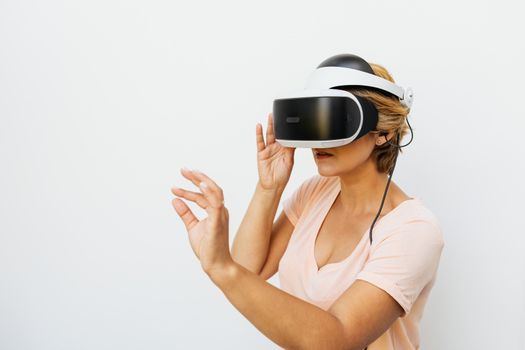 Photo: https://kaboompics.com/ / Pexels
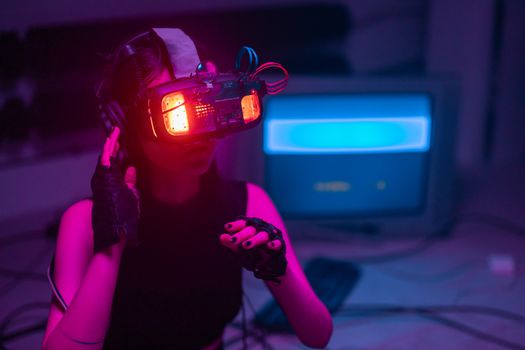 Photo: cottonbro studio / Pexels
 Photo: Henri Mathieu-Saint-Laurent / Pexels
 Photo: VAZHNIK / Pexels