
How to Compare Smart Home Security Systems Like a Pro
smart home security systems comparison

How to Compare Smart Home Security Systems Like a Pro

How to Compare Smart Home Security Systems Like a Pro

Unlock the secrets to selecting the ideal smart home security system that meets your unique needs and budget.

Find Your Perfect System

Key Takeaways

  • ✓ Smart home security offers integrated protection beyond traditional alarms.
  • ✓ Systems vary widely in features, monitoring options, and cost structures.
  • ✓ DIY installation is common, but professional installation and monitoring are also available.
  • ✓ Compatibility with existing smart home devices is a key consideration.

How It Works

1
Assess Your Needs

Determine what level of security you require, specific vulnerabilities of your home, and your budget for equipment and monthly fees. Consider if you need indoor/outdoor cameras, motion sensors, or environmental detectors.

2
Research Top Systems

Investigate leading smart home security providers, focusing on their core offerings, technology, and customer reviews. Look for systems known for reliability and ease of use.

3
Compare Features & Costs

Create a side-by-side comparison of features like camera quality, sensor types, smart home integration, and monitoring plans. Scrutinize upfront equipment costs versus ongoing monthly subscriptions.

4
Consider Installation & Support

Decide between DIY installation or professional setup. Evaluate customer support options, warranty policies, and the overall reputation of the company for service after the sale.

Understanding the Landscape of Smart Home Security
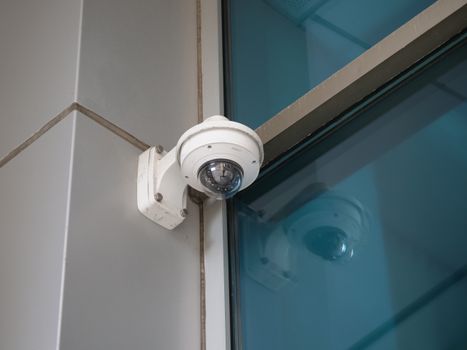
Security camera mounted on a building corner for surveillance and safety.Photo: Giant Asparagus / Pexels
The advent of smart home technology has revolutionized how we protect our residences, moving far beyond simple alarm systems. Today, smart home security systems offer an integrated, proactive approach to safety, combining traditional security elements with advanced connectivity and automation. Before you dive into comparing specific products, it’s crucial to understand the fundamental components and philosophies that define this evolving landscape. At its core, a smart home security system typically includes a central hub or control panel, various sensors (door/window, motion, glass break), cameras (indoor, outdoor, doorbell), and often, environmental detectors (smoke, CO, flood). What makes them 'smart' is their ability to connect to your home Wi-Fi network, allowing for remote monitoring and control via a smartphone app, integration with other smart devices, and often, AI-powered features like facial recognition or package detection. This interconnectedness means your security system can communicate with smart locks to automatically secure doors when you arm the system, or trigger smart lights to deter intruders. One of the primary distinctions you'll encounter is between professionally monitored and self-monitored systems. Professionally monitored systems connect your home directly to a central monitoring station, where trained operators respond to alarms by contacting you and, if necessary, dispatching emergency services. This often comes with a monthly fee but provides an added layer of assurance. Self-monitored systems, on the other hand, alert you directly via your smartphone, placing the responsibility of contacting authorities on you. While more cost-effective, it requires you to be constantly vigilant. Understanding your comfort level with this responsibility is a critical first step. Another significant differentiator is the level of integration with other smart home ecosystems. Some systems are proprietary, meaning they work best, or only, with their own brand's devices. Others are designed to be open and compatible with platforms like Amazon Alexa, Google Assistant, Apple HomeKit, or Z-Wave/Zigbee devices. This compatibility is vital if you already have a smart home setup and want your security system to be a seamless part of it, rather than a standalone silo. For instance, you might want your smart thermostat to adjust when your security system detects you've left the house, or your smart blinds to close when the system is armed. Evaluating these foundational aspects will help you narrow down the field considerably when you compare smart home security systems. Remember, the goal is not just security, but a system that enhances your lifestyle without adding complexity. To delve deeper into general smart home solutions, check out our guide on smart home automation.

Key Features to Compare in Modern Security Systems

When you set out to compare smart home security systems, a detailed look at their features is paramount. Not all systems are created equal, and what might be a premium offering in one brand could be standard in another. Let's break down the most impactful features to consider. **Sensors and Detection:** Beyond basic door and window sensors, look for systems that offer a comprehensive suite. Motion sensors with pet immunity can prevent false alarms caused by your furry friends. Glass break sensors are excellent for detecting forced entry through windows. Environmental sensors for smoke, carbon monoxide, and water leaks provide an all-encompassing safety net, protecting your home not just from intruders but also from natural disasters and accidents. The number and type of sensors included in base packages, and the cost of additional sensors, will significantly impact your overall investment. **Cameras and Video Surveillance:** Video is often the cornerstone of modern security. Evaluate camera quality (resolution, night vision, field of view), storage options (local vs. cloud, free vs. paid subscriptions), and advanced analytics. Features like person detection, package detection, and facial recognition can drastically reduce false alerts and provide more actionable intelligence. Doorbell cameras are also a must-have, offering two-way audio and instant alerts for visitors or suspicious activity at your front door. **Connectivity and Reliability:** Most smart security systems rely on Wi-Fi, but some offer cellular backup, which is a critical feature. If your internet goes down, a cellular connection ensures your system remains operational and can still communicate with monitoring centers or send you alerts. This redundancy is invaluable for uninterrupted protection. Also, consider battery backup for the control panel and sensors in case of a power outage. **Smart Home Integration and Automation:** As mentioned, compatibility is key. Does the system integrate with your preferred voice assistant (Alexa, Google Assistant)? Does it support Z-Wave or Zigbee for broader device compatibility? Automation capabilities, such as creating rules that trigger certain actions (e.g., lights turn on when motion is detected, doors lock when you arm the system), can significantly enhance both security and convenience. **User Interface and App Experience:** A security system is only as good as its usability. A well-designed, intuitive mobile app is essential for easy arming/disarming, viewing camera feeds, managing settings, and receiving alerts. Look for systems with a clear, responsive interface that provides quick access to all critical functions. Reading user reviews often provides insight into the practical day-to-day experience with the app. By meticulously evaluating these features, you can ensure the system you choose aligns perfectly with your security expectations and lifestyle, making your decision much more informed and confident.

Installation, Monitoring, and Cost: Making an Informed Decision

Beyond the features, the practicalities of installation, monitoring options, and the total cost of ownership are pivotal factors when you compare smart home security systems. These aspects often dictate the long-term satisfaction and financial viability of your chosen system. **Installation: DIY vs. Professional:** Many modern smart home security systems are designed for DIY installation, offering step-by-step instructions and user-friendly components. This can be a significant cost-saver and provides flexibility to place sensors and cameras exactly where you want them. Brands like Ring, SimpliSafe, and Arlo often fall into this category. However, some systems, particularly those with more complex wiring or extensive sensor networks, may benefit from professional installation. Companies like ADT or Vivint typically include professional installation as part of their service package. Consider your technical comfort level and the complexity of your home layout. If you're not confident in setting up electronics, professional installation can save you time and ensure everything is correctly configured from day one. **Monitoring Options: Self vs. Professional:** This is arguably one of the most critical decisions. Self-monitoring means you receive alerts directly on your phone, and it's up to you to respond or contact emergency services. This is the most budget-friendly option, often requiring no monthly fees beyond initial equipment costs. It's suitable for those who are frequently available to respond to alerts and live in areas with quick emergency response times. Professional monitoring, on the other hand, means your system is connected to a 24/7 monitoring center. When an alarm triggers, trained agents verify the alert and, if necessary, dispatch police, fire, or medical services. This service comes with a monthly subscription fee, which can vary widely (from $15 to $60+ per month) depending on the provider and the level of service. For many, the peace of mind offered by professional monitoring, especially when away from home or during emergencies, justifies the recurring cost. Some providers even offer tiered monitoring plans, allowing you to choose the level of professional intervention you desire. **Total Cost of Ownership (TCO):** This goes beyond the initial purchase price. When you compare smart home security systems, you need to factor in: * **Upfront Equipment Costs:** This can range from a few hundred dollars for basic DIY kits to several thousand for comprehensive, professionally installed systems. * **Monthly Monitoring Fees:** If you opt for professional monitoring, these recurring costs add up significantly over time. * **Cloud Storage Fees:** Many camera systems offer free live viewing but charge for cloud storage of recorded video clips. * **Additional Sensor/Device Costs:** As your needs evolve, you might want to add more cameras, sensors, or smart home devices. Factor in the cost of expanding your system. By carefully weighing these practical considerations, alongside the feature set, you can make an informed decision that aligns with both your security requirements and your financial plan. For more general advice on managing technology costs, explore our article on budgeting for tech upgrades.

Avoiding Common Pitfalls and Maximizing Your Security Investment

Choosing a smart home security system is a significant investment, and like any complex purchase, there are common pitfalls to avoid to ensure you maximize your security and satisfaction. Being aware of these can save you time, money, and frustration in the long run. **Mistake 1: Underestimating Your Needs.** Many people opt for a basic system only to realize later that it doesn't cover all their vulnerabilities. Consider all entry points, valuable assets, and potential environmental risks. Do you have a large yard that needs outdoor camera coverage? Are there basement windows often forgotten? Think about future needs as well – will you expand your family, or acquire more valuables that warrant increased protection? **Mistake 2: Ignoring Scalability and Expandability.** A system that can't grow with your needs is a poor long-term investment. Check if the system allows for easy addition of more sensors, cameras, or smart devices. Proprietary systems can limit your options, whereas those compatible with open standards like Z-Wave or Zigbee offer more flexibility. **Mistake 3: Overlooking Connectivity Requirements.** A smart security system is only as good as its internet connection. Ensure your home Wi-Fi is robust enough, especially for multiple cameras streaming high-definition video. If your internet is prone to outages, a system with cellular backup is not just a nice-to-have, but a necessity. Ignoring this can lead to security gaps when you need them least. **Mistake 4: Neglecting Customer Support and Warranties.** Even the best systems can encounter issues. Research the provider's customer support reputation. Are they available 24/7? Do they offer clear troubleshooting guides? What is the warranty period for their equipment? Good support can be invaluable when you're dealing with technical glitches or critical security concerns. **Mistake 5: Focusing Solely on Upfront Costs.** As discussed, the Total Cost of Ownership (TCO) is crucial. A system with a low upfront cost might have high monthly monitoring fees or expensive add-on devices. Conversely, a higher initial investment might lead to lower recurring costs or superior long-term value. Always calculate the cost over a 3-5 year period. **Tips for Maximizing Your Security Investment:** * **Strategic Placement:** Don't just place sensors randomly. Think like an intruder. Cover all ground-floor windows and doors, and place motion sensors in high-traffic areas. * **Regular Testing:** Periodically test your system, including alarms, sensors, and camera feeds, to ensure everything is functioning correctly. * **Leverage Automation:** Use smart rules to enhance security. For example, have lights turn on automatically if a motion sensor is triggered at night, or receive alerts if a garage door is left open after a certain time. * **Educate Your Family:** Ensure everyone in your household knows how to use the system, including arming/disarming, responding to alerts, and what to do in an emergency. * **Review Your Needs Annually:** As your life changes, so might your security needs. Re-evaluate your system annually to ensure it still meets your requirements.

Comparison

FeatureSimpliSafeRing Alarm ProArlo Pro 4ADT Command
MonitoringSelf or ProSelf or ProSelf-Monitored (Pro optional)Professional
InstallationDIYDIYDIYProfessional
Camera Quality1080p1080p/1440p2K HDR1080p/1440p
Smart Home IntegrationLimitedAlexa, Z-WaveAlexa, Google Assistant, HomeKitZ-Wave, Alexa, Google Assistant
Cellular Backup✓ (Pro Plan)✓ (Pro Plan)
Battery BackupN/A (Cameras)
Environmental Sensors
Starting Price (Kit)$250-$500$250-$400$200-$600 (cameras)Varies (contract)
Monthly Fee (Pro Monitoring)$18-$30$20-$30$3-$15 (Arlo Secure)$40-$60+

What Our Readers Say

5 ★★★★★

"I spent weeks trying to compare smart home security systems for my new house. This guide made it incredibly easy to understand the differences between DIY and professional options. I ultimately chose a hybrid system that perfectly fits my budget and provides peace of mind."

5 ★★★★★

"As a first-time homeowner, the amount of security options was overwhelming. This article broke down the key features to compare, especially the details on camera quality and monitoring. It helped me select a system that integrates seamlessly with my existing smart home devices."

5 ★★★★★

"I was looking to upgrade my old alarm system. After reading this, I realized how much smart home integration had advanced. The comparison of professional vs. self-monitoring was particularly insightful, leading me to a system with cellular backup, which has already proven useful during a power outage."

4 ★★★★☆

"The guide was very comprehensive in helping me compare smart home security systems. While I appreciated the depth, a bit more detail on specific brand ecosystems would have been helpful. Still, it gave me a solid framework for my research and I found a great system for my apartment."

5 ★★★★★

"Being able to compare smart home security systems side-by-side on critical features like installation and hidden costs was a game-changer. I avoided a common pitfall of only looking at upfront prices and found a system with excellent long-term value and robust customer support."

Frequently Asked Questions

What's the main difference between self-monitored and professionally monitored smart home security systems?
Self-monitored systems alert you directly via your smartphone, requiring you to contact emergency services if needed. Professionally monitored systems connect to a 24/7 monitoring center, where agents verify alarms and dispatch emergency services on your behalf, often for a monthly fee. The choice depends on your comfort level with responsibility and budget.
Are smart home security systems difficult to install for a DIYer?
Many modern smart home security systems are designed for easy DIY installation, often involving wireless sensors and clear app-based instructions. However, some more complex systems or those with extensive wiring may benefit from professional installation, which some providers offer as part of their service.
How do I ensure my smart home security system is compatible with my existing smart devices?
When comparing systems, check for compatibility with common smart home platforms like Amazon Alexa, Google Assistant, Apple HomeKit, or open standards such as Z-Wave and Zigbee. Most product specifications will clearly list supported integrations, allowing you to choose a system that fits your current ecosystem.
What is the typical cost range for smart home security systems?
The cost varies significantly. DIY systems can start from $200-$500 for equipment, plus optional monthly monitoring fees ($15-$30). Professionally installed systems might have higher upfront costs ($500-$2000+) often bundled with monthly monitoring contracts ($40-$60+). Always consider the total cost of ownership over several years.
Is cellular backup necessary for a smart home security system?
While not strictly 'necessary' for all systems, cellular backup is highly recommended. It ensures your security system remains operational and can communicate with monitoring centers or send alerts even if your home internet connection goes down or is intentionally cut, providing a crucial layer of redundancy and protection.
Who should consider a smart home security system?
Anyone looking to enhance their home's safety and convenience should consider a smart home security system. This includes homeowners, renters, and small business owners who desire remote monitoring, integrated smart home features, and proactive protection against intruders, fires, floods, and other emergencies.
How secure are smart home security systems against hacking?
Reputable smart home security systems employ robust encryption, multi-factor authentication, and regular software updates to protect against hacking. It's crucial to choose systems from trusted brands, use strong unique passwords, and keep your system's software and router firmware updated to maintain optimal security.
What are the future trends in smart home security?
Future trends include enhanced AI and machine learning for more intelligent threat detection (e.g., distinguishing pets from intruders, advanced facial recognition), deeper integration with smart city infrastructure, predictive analytics for crime prevention, and more sophisticated environmental monitoring beyond traditional detectors.

By carefully considering your needs, researching features, and understanding the costs involved, you're now equipped to compare smart home security systems with confidence. Take the next step towards a safer, smarter home today and invest in the peace of mind you deserve.

Topics: smart home security systems comparisonhome security system reviewsbest smart security systemsDIY home securityprofessional monitoring
Leo List
Brampton weed
Adultwork