Unleash Visuals: Best Affordable 4K Monitors for Gaming
affordable 4k monitors for gaming

Unleash Visuals: Best Affordable 4K Monitors for Gaming

Experience breathtaking 4K resolution in your games without emptying your wallet – stunning visuals are now within reach.

Find Your Perfect Monitor

Key Takeaways

  • ✓ 4K resolution offers four times the pixels of 1080p for incredible detail.
  • ✓ High refresh rates (120Hz+) are crucial for smooth gaming, even at 4K.
  • ✓ Adaptive Sync (FreeSync/G-Sync Compatible) eliminates screen tearing.
  • ✓ IPS panels provide excellent color accuracy and wide viewing angles.

How It Works

1
Identify Your Gaming Rig's Capabilities

Before buying, ensure your graphics card can handle 4K gaming at acceptable frame rates. A powerful GPU is key to fully utilizing a 4K monitor.

2
Prioritize Key Monitor Features

Focus on refresh rate (120Hz+), response time (1ms-5ms), and panel type (IPS for color, VA for contrast) based on your gaming style. Adaptive Sync is highly recommended.

3
Set Your Budget & Research Options

Determine how much you're willing to spend, keeping in mind that 'affordable' for 4K gaming monitors often means $300-$500. Research models within this range, comparing specifications and user reviews.

4
Consider Ergonomics & Connectivity

Look for adjustable stands for comfort and ensure the monitor has the necessary ports (DisplayPort 1.4, HDMI 2.1) for your PC and consoles. USB hubs can also be a bonus.

The Allure of 4K Gaming on a Budget: Why It's Possible Now
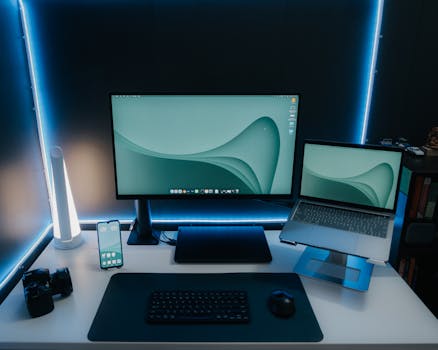
A sleek and modern desk setup featuring a monitor, laptop, and ambient lighting, perfect for productivity. Photo: Pramod Tiwari / Pexels
For years, 4K gaming was an exclusive club, reserved for those with deep pockets and top-tier graphics cards. The monitors themselves were prohibitively expensive, often costing as much as a mid-range gaming PC. However, the landscape has dramatically shifted. Thanks to advancements in display technology, increased competition among manufacturers, and more efficient production processes, affordable 4K monitors for gaming are no longer a pipe dream. This evolution means that stunning, ultra-high-definition visuals are now accessible to a much broader audience of gamers in the US and beyond. But what exactly changed? Firstly, panel manufacturing has become incredibly efficient. Companies like LG, Samsung, and AU Optronics have refined their processes, driving down the cost of producing IPS, VA, and even some OLED panels. This directly translates to lower retail prices for consumers. Secondly, the market has matured. As 4K TVs became standard in living rooms, the demand for 4K PC monitors grew, encouraging more manufacturers to enter the segment and fostering healthy competition. This competition naturally pushes prices down while simultaneously driving innovation. Thirdly, graphics card technology has caught up. While true, consistent 4K 120Hz+ gaming still demands a powerful GPU, even mid-range cards are now capable of delivering respectable 4K performance in many games, especially with the aid of upscaling technologies like DLSS (NVIDIA) and FSR (AMD). This means more gamers can actually utilize a 4K monitor effectively, increasing the addressable market for these displays. Finally, the definition of 'affordable' has expanded. While a premium 4K gaming monitor might still fetch upwards of $800-$1000, excellent options now exist in the $300-$550 range. These monitors offer a fantastic balance of resolution, refresh rate, response time, and panel quality, making them genuinely viable for budget-conscious gamers. They might not have every bleeding-edge feature found in flagship models, but they deliver the core 4K gaming experience remarkably well. Understanding these market dynamics is crucial when embarking on your search for an affordable 4K gaming monitor. It assures you that you're not settling for subpar technology but rather benefiting from a natural progression in the tech industry. The key is knowing which features are truly essential for a great gaming experience and where you can compromise to save money without sacrificing enjoyment. This guide will help you navigate those choices, ensuring you get the most visual bang for your buck. The dream of immersive, detailed gaming without a premium price tag is now a reality for many. Explore the latest tech trends to see how display technology continues to evolve.

Key Specifications to Prioritize for Budget 4K Gaming Monitors

Young woman gaming at a PC high-tech setup, wearing headphones. Photo: Matheus Bertelli / Pexels
When hunting for an affordable 4K gaming monitor, it’s easy to get lost in a sea of technical jargon. However, focusing on a few core specifications will help you make an informed decision without overspending. These are the non-negotiables that will define your gaming experience. First and foremost is the **Resolution and Panel Size**. We're specifically looking for 4K UHD (3840 x 2160 pixels). For gaming, a panel size between 27 inches and 32 inches is generally ideal. A 27-inch 4K monitor offers incredible pixel density, making text and images exceptionally sharp. A 32-inch monitor provides a more expansive, immersive view, though the pixel density is slightly lower. Going smaller than 27 inches might make 4K less impactful, as the benefits of the higher resolution become harder to discern without sitting very close. Next, consider the **Refresh Rate**. For gaming, a higher refresh rate translates to smoother motion and a more responsive feel. While 60Hz 4K monitors are cheaper, they are a compromise for fast-paced gaming. Aim for at least 120Hz, with 144Hz being the sweet spot for many affordable options. Anything higher, like 165Hz or 240Hz, typically pushes monitors out of the 'affordable' category for 4K. Remember, your graphics card needs to be able to push frames at these rates to fully utilize the monitor's refresh capability. **Response Time** is another critical factor, particularly for competitive gamers. This measures how quickly pixels can change color. Lower is better, with 1ms GtG (Gray-to-Gray) being the gold standard. However, 4ms or 5ms GtG is perfectly acceptable for most casual and even many competitive gamers, especially on IPS panels where ghosting is generally well-controlled. Don't get overly hung up on needing 1ms if it significantly increases the price. **Panel Type** significantly impacts visual quality. The three main types are IPS, VA, and TN. For affordable 4K gaming, IPS (In-Plane Switching) panels are often the best balance. They offer excellent color accuracy, wide viewing angles, and good response times, making them suitable for both gaming and general productivity. VA (Vertical Alignment) panels excel in contrast, providing deeper blacks, which is great for atmospheric games, but can sometimes suffer from slower response times and 'black smearing.' TN (Twisted Nematic) panels are typically the fastest and cheapest but come with poor color reproduction and narrow viewing angles, making them less ideal for a premium 4K experience. Finally, **Adaptive Sync Technology** (AMD FreeSync or NVIDIA G-Sync Compatible) is nearly essential. This technology synchronizes the monitor's refresh rate with your GPU's frame rate, eliminating screen tearing and reducing stuttering. Most affordable 4K gaming monitors will support FreeSync, and many are also G-Sync Compatible, meaning they work well with NVIDIA cards too. Ensure the monitor you choose supports the adaptive sync technology compatible with your graphics card for the smoothest gameplay possible. Ignoring these key specs can lead to buyer's remorse, so prioritize them wisely within your budget.

Top Contenders: Best Affordable 4K Monitors for Gaming Right Now
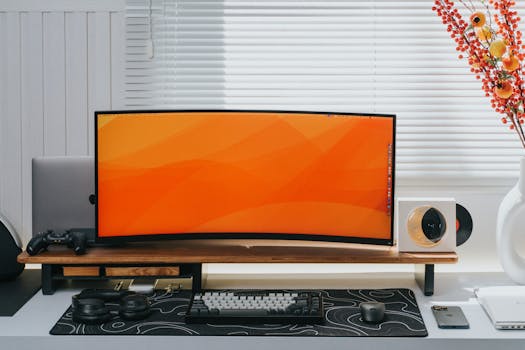
Sleek home office setup featuring a curved monitor, keyboard, and decorative elements. Photo: Minh Phuc / Pexels
Navigating the market for affordable 4K gaming monitors can feel overwhelming with the sheer number of options. However, a few models consistently stand out for their excellent balance of features, performance, and price. These monitors often hit that sweet spot of 4K resolution, a high refresh rate, and adaptive sync, all without demanding a premium price tag. While specific models fluctuate based on sales and new releases, certain brands and series frequently offer compelling value. One common recommendation in the budget 4K space is the **Gigabyte M28U or M32U**. These monitors often feature a 28-inch or 32-inch IPS panel, a 144Hz refresh rate, and a 1ms MPRT (Moving Picture Response Time) or 2-3ms GtG response time. They typically come with FreeSync Premium Pro, making them compatible with both AMD and NVIDIA GPUs, and offer a KVM switch, which is a fantastic bonus for users with multiple computers. The color accuracy and viewing angles are usually excellent, making them suitable for both gaming and content creation. The M28U, in particular, has been a darling of the budget 4K gaming community for its robust feature set and competitive pricing. Another strong contender is often found within **LG's UltraGear series**, specifically models like the LG 27GN950-B (though this can sometimes push the 'affordable' boundary) or newer, more budget-friendly iterations like the LG 27GR95QE-B (if OLED prices drop further) or similar IPS models. LG is renowned for its high-quality IPS panels, and their gaming monitors usually boast impressive color accuracy, wide viewing angles, and very low input lag. Look for models with 144Hz+ refresh rates and FreeSync Premium or G-Sync Compatible certification. Their designs are usually sleek, and the user experience is generally very positive. **Dell's S-series gaming monitors**, such as the Dell S2721QS or its gaming-focused variants, also frequently offer excellent value. While some Dell models might cap out at 60Hz for 4K, newer gaming-specific models are entering the market with higher refresh rates and adaptive sync. Dell's monitors are known for their reliable build quality, excellent ergonomics (often including height, tilt, swivel, and pivot adjustments), and strong customer support. Keep an eye out for their sales, as Dell often has significant discounts that bring their 4K gaming monitors into the affordable range. Finally, brands like **Acer (Predator series) and ASUS (TUF Gaming series)** also frequently offer competitive options. The Acer Nitro XV282K KV, for instance, has been a popular choice, providing a 28-inch 4K IPS panel with 144Hz refresh rate, 1ms VRB (Visual Response Boost), and FreeSync Premium. ASUS TUF Gaming monitors similarly offer robust features at aggressive price points. It's always wise to check current pricing and availability, as the 'best' affordable option can change week by week. Always read recent reviews and compare specifications carefully before making your final decision. Check out our guide to the best gaming peripherals to complete your setup.

Common Pitfalls and Pro Tips for Your 4K Monitor Purchase

While the world of affordable 4K gaming monitors is exciting, it's not without its potential pitfalls. Being aware of these common mistakes can save you a lot of headache and ensure you get the best value for your money. Likewise, a few pro tips can elevate your experience significantly. **Common Pitfalls:** * **Underestimating GPU Requirements:** The biggest mistake is buying a 4K monitor without a graphics card powerful enough to drive it. Even with DLSS/FSR, 4K gaming demands significant GPU horsepower. A budget 4K monitor paired with an entry-level GPU will lead to disappointing frame rates and a poor gaming experience. Always check benchmarks for your specific GPU at 4K resolution. * **Ignoring Connectivity:** Not all HDMI or DisplayPort connections are created equal. For 4K at 120Hz or higher, you'll need DisplayPort 1.4 or HDMI 2.1. Older versions might limit your refresh rate or color depth at 4K. Double-check your GPU's outputs and the monitor's inputs. * **Overlooking Ergonomics:** An affordable monitor might skimp on stand adjustments. If you spend hours gaming, a monitor that only tilts can lead to neck strain. Consider a VESA-compatible mount if the included stand is poor, but factor that into your budget. * **Chasing Unrealistic Specs:** Expecting a 1ms GtG, 144Hz, IPS, G-Sync Ultimate, HDR1000 monitor for under $500 is unrealistic. Be prepared to make some compromises. Focus on the core specs that matter most to you. * **Buying Without Researching Panel Quality:** Even within IPS or VA, panel quality can vary. Look for reviews that specifically mention backlight bleed, dead pixels, or uniformity issues, as these can detract from the 4K experience. **Pro Tips:** * **Buy During Sales Events:** Black Friday, Cyber Monday, Amazon Prime Day, and other major holidays are prime times to snag excellent deals on monitors. Patiently waiting can save you a significant amount. * **Utilize HDR (But Don't Prioritize It on Budget Models):** Many affordable 4K monitors will list HDR support (e.g., HDR10). While it adds a bit of pop, true HDR (like DisplayHDR 600 or 1000) requires specific backlight technology that budget monitors usually lack. Use it if available, but don't pay a premium for basic HDR on an affordable model. * **Calibrate Your Monitor:** Even budget monitors can look much better with a quick calibration. Use online guides or a calibration tool to optimize color, brightness, and contrast settings for your environment. * **Check for Dead Pixel Policies:** Understand the retailer's and manufacturer's dead pixel policies. Some have stricter rules than others for returns or replacements. * **Consider Refurbished or Open Box:** Reputable retailers sometimes offer certified refurbished or open-box monitors at significant discounts. These often come with warranties and can be a great way to save money while getting a high-quality product. By avoiding these common pitfalls and implementing these pro tips, you'll be well on your way to enjoying a fantastic 4K gaming experience without overspending.

Comparison

FeatureGigabyte M28ULG 27GN950-BDell S2721DGF
Resolution3840x2160 (4K)3840x2160 (4K)2560x1440 (QHD)
Panel TypeIPSIPSIPS
Refresh Rate144Hz144Hz165Hz
Response Time (GtG)1ms (MPRT), 2-3ms (GtG)1ms1ms
Adaptive SyncFreeSync Premium ProFreeSync Premium ProFreeSync Premium Pro, G-Sync Comp.
HDR SupportHDR400HDR600HDR400
KVM Switch
Typical Price Range (USD)$450-$550$600-$750$250-$350

What Readers Say

"I never thought I'd get a 4K gaming monitor without spending a fortune. This one is incredible! The colors pop, and games like Cyberpunk 2077 look absolutely stunning. No more pixelated edges for me!"

Sarah J. · Austin, TX

"Upgraded from a 1080p, and the difference is night and day. The refresh rate on my new affordable 4k monitor for gaming is smooth, and FreeSync works perfectly with my AMD card. Best purchase this year."

Mark D. · Miami, FL

"My gaming setup feels complete now. The clarity in my favorite RPGs is breathtaking, and I can actually see details I missed before. It truly transformed my gaming sessions for the better, even on a budget."

Emily R. · Seattle, WA

"It's a great monitor for the price. While the HDR isn't top-tier, the 4K resolution and 144Hz refresh rate are fantastic. Had a minor issue with a stuck pixel, but it resolved itself after a few days."

David L. · Denver, CO

"As a graphic designer who also games, this monitor hits all the right notes. Excellent color accuracy for work and buttery-smooth visuals for gaming. It's a versatile powerhouse for its cost."

Jessica B. · Chicago, IL

Frequently Asked Questions

Is an affordable 4K monitor for gaming actually worth it over a high-refresh-rate 1440p monitor?

It depends on your priorities and GPU power. A 4K monitor offers unparalleled visual fidelity and sharpness, which is fantastic for slower-paced, graphically intensive games. However, a high-refresh-rate 1440p monitor might offer smoother performance in competitive esports titles if your GPU struggles to hit high frame rates at 4K. If your GPU can handle 4K at decent frame rates, the visual upgrade is substantial.

Will my older graphics card be able to run games at 4K resolution on these monitors?

Older or mid-range graphics cards (e.g., NVIDIA GTX 10-series, AMD RX 5000-series) will struggle significantly to run modern games at native 4K resolution with acceptable frame rates, especially at higher settings. You'll likely need an RTX 3070/RX 6700 XT or better, with newer generations offering even better performance, to have a truly enjoyable 4K gaming experience. Always check benchmarks for your specific card.

How do I ensure I'm getting the full refresh rate (e.g., 144Hz) at 4K resolution?

You need to use the correct cable and ensure your PC settings are configured properly. For 4K at 120Hz or higher, you'll need a DisplayPort 1.4 cable or an HDMI 2.1 cable connected to compatible ports on both your GPU and monitor. After connecting, go to your display settings in Windows or your GPU control panel and select the desired refresh rate.

Are affordable 4K gaming monitors suitable for console gaming (PS5/Xbox Series X)?

Absolutely! Both the PS5 and Xbox Series X support 4K resolution at up to 120Hz. Many affordable 4K gaming monitors come with HDMI 2.1 ports, which are essential for enabling 4K 120Hz from these consoles. This makes them an excellent choice for a versatile gaming setup that accommodates both PC and console gaming.

What's the main difference between IPS and VA panels in budget 4K monitors?

IPS panels generally offer superior color accuracy and wider viewing angles, making them great for both gaming and general use, with good response times. VA panels typically provide higher contrast ratios and deeper blacks, which is excellent for atmospheric games, but they can sometimes have slower response times leading to 'ghosting' in fast-paced scenes. For a balanced gaming experience, IPS is often preferred in the affordable segment.

Who should consider buying an affordable 4K monitor for gaming?

Gamers who prioritize stunning visual detail and immersion over ultra-high competitive frame rates, and who have a relatively powerful modern graphics card (RTX 3070/RX 6700 XT or newer), should consider an affordable 4K monitor. It's also a great option for content creators who game, as 4K provides ample screen real estate and often good color accuracy.

Is it safe to buy a budget 4K monitor from a lesser-known brand?

While established brands often offer more consistent quality and better customer support, some lesser-known brands can provide excellent value. It's crucial to do thorough research, read multiple reviews from independent sources, and check their warranty and return policies. Buying from reputable retailers that offer easy returns can mitigate some of the risk.

What future trends should I be aware of regarding affordable 4K gaming monitors?

Expect to see more monitors with HDMI 2.1 as standard, even in budget ranges, supporting higher refresh rates for consoles. Mini-LED and OLED technologies are slowly trickling down, potentially making more affordable models with superior HDR and contrast available in the coming years. Also, higher refresh rates (165Hz+) at 4K will become more common and accessible.

Ready to immerse yourself in the stunning world of 4K gaming without draining your bank account? The perfect affordable 4K monitor for gaming is out there, waiting to elevate your visual experience. Start your journey today and see your favorite games in breathtaking detail.

Topics: affordable 4k monitors for gamingbudget 4k gaming monitorcheap 4k displaygaming display deals
Leo List
Brampton weed
Adultwork